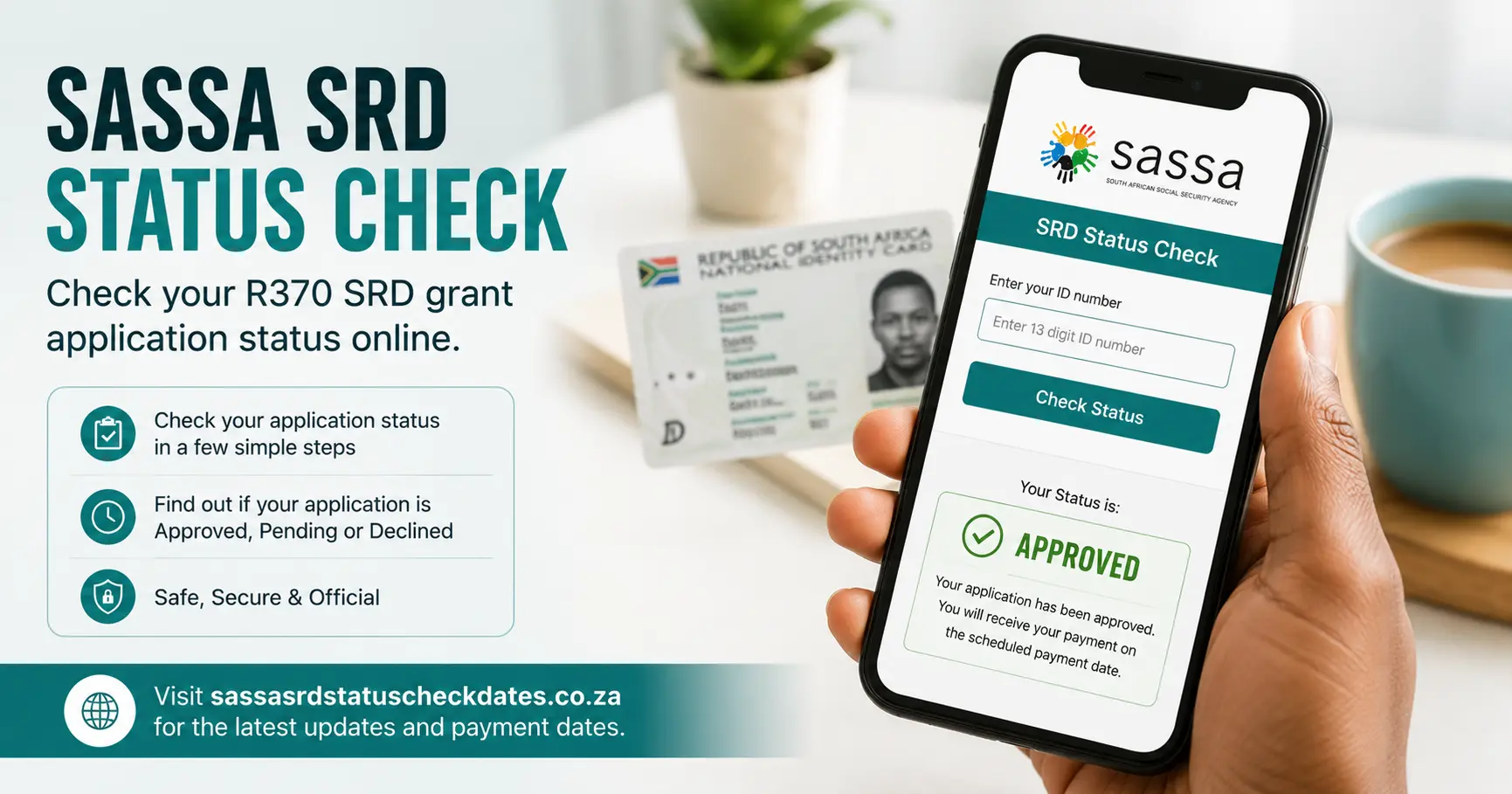
Use this guide to check your SASSA SRD R370 status in under a minute. You need your 13-digit South African ID number and the phone number you registered with SASSA. No data? The USSD code guide and WhatsApp method both work on any basic phone at no cost.
This guide covers all five check methods step by step, every status result you might see and what each one means, August 2026 payment dates, current grant amounts, full eligibility criteria, the appeals process, where to collect your money and how to protect yourself from SASSA scams.
How Do I Check My SASSA SRD Status?
| Method | What You Need | Works Without Internet? | Best For |
|---|
| 1. srd.sassa.gov.za | ID + registered phone | No | Full history and payment date |
| 2. WhatsApp 082 046 8553 | WhatsApp + ID | No | Quick check on a smartphone |
| 3. USSD *120*3210# | Any phone, any network | Yes | No data, basic phone |
| 4. GovChat 0600 123 456 | WhatsApp + ID | No | Backup if SASSA WhatsApp is slow |
| 5. Helpline 0800 60 10 11 | ID number | Yes (voice call) | When all else fails |
Method 1: Check Online at srd.sassa.gov.za
The official SASSA SRD portal is the most reliable method. It is updated monthly and shows your full payment history going back several months.
What you need:
- Your 13-digit South African ID number
- The phone number you used when you applied for the SRD grant
Step-by-step instructions:
- Open a browser on your phone or computer
- Go to srd.sassa.gov.za and type it directly. Do not click links in SMS messages
- Find the “Check Status” section on the homepage
- Enter your 13-digit SA ID number
- Enter your registered mobile number in the format 0821234567. This must match exactly what SASSA has on file
- Click “Submit” or “Check”
- Your status and payment date (if applicable) will display within seconds
If the portal is slow or not loading:
The portal is busiest between the 10th and 20th of each month when SASSA processes the new batch. Try before 8:00am or after 9:00pm. Weekends have lower traffic. If the page shows “service unavailable,” wait 30 minutes and try again. This is temporary and does not affect your application.
If your phone number gives an error:
You must use the exact number registered with SASSA. If you changed your SIM or number since applying, your status check will fail until you update your details at srd.sassa.gov.za. See the change phone number guide.
Full walkthrough: srd.sassa.gov.za portal guide
Method 2: Check via WhatsApp (082 046 8553)
The SASSA WhatsApp chatbot lets you check your SRD status from any smartphone. It runs 24 hours a day, seven days a week.
Official SASSA WhatsApp number: 082 046 8553
Do not use any other number. Scammers advertise similar WhatsApp numbers to steal your ID details.
Step-by-step instructions:
- Save 082 046 8553 to your contacts as “SASSA Official”
- Open WhatsApp and find the SASSA contact
- Send the message: Hi
- A menu will appear. Read each option carefully
- Select the option for SRD status check
- Type your 13-digit ID number when prompted
- Your current status will appear as a reply
Tips:
- If no reply arrives after 5 minutes, close WhatsApp, reopen and send “Hi” again
- The bot can only check one ID per session
- The service sometimes pauses for maintenance between midnight and 5am
Full guide: SASSA WhatsApp status check guide
Method 3: USSD Code 1203210# (No Internet Needed)
USSD works on any mobile phone including basic keypad phones with no data, no internet and no WhatsApp. The only requirement is a South African SIM that was registered with SASSA.
Primary USSD code: *120*3210#
Backup USSD code: *120*69277# — use this if the primary does not respond
Step-by-step instructions:
- Open your phone dialler
- Type *120*3210# and press the green call button
- A text menu will appear on your screen
- Navigate to “SRD R370 Status”
- Enter your ID number when the menu asks
- Press OK
- Your status appears on the next screen
Important: You must dial from the phone number registered with SASSA. Dialling from a different number returns a “not found” error.
Cost: Most South African networks charge nothing or a few cents per USSD session. Check with your network if you are unsure.
Full walkthrough: SASSA USSD status check guide
Method 4: Check via GovChat (0600 123 456)
GovChat is the South African government’s official multi-department WhatsApp chatbot. It covers SASSA alongside Home Affairs and the UIF.
GovChat WhatsApp number: 0600 123 456
Step-by-step instructions:
- Save 0600 123 456 as a contact
- Open WhatsApp and send Hi
- From the main menu, choose SASSA
- Select SRD R370 Status Check
- Enter your ID number and registered phone number when asked
- Your status result will appear
GovChat is a useful backup when the direct SASSA WhatsApp (082 046 8553) is offline or slow. Response times are similar though GovChat can be slightly slower during high-traffic periods.
Full comparison: GovChat vs SASSA WhatsApp guide
Method 5: Call the SASSA Helpline (0800 60 10 11)
For those who cannot access the internet or WhatsApp, the toll-free SASSA helpline connects you to a human agent who can look up your SRD status directly.
SASSA Helpline: 0800 60 10 11
- Free from all South African mobile and landline networks
- Operating hours: Monday to Friday, 08:00 to 16:00
- Closed on public holidays
Tips for calling:
- Have your 13-digit ID number ready before you call
- Call between 9am and 11am for the shortest wait times
- Month-end (the 1st to 5th) has very long wait times. Call after the 10th if possible
- If you get cut off, call back. The agent cannot call you back
The helpline can also help you update your banking details, check your application history and lodge a query if payment is delayed.
What Does Each SASSA SRD Status Mean?
After checking your status you will see one of these results. Each one means something different and requires a specific next action from you.
| Status | Meaning | What to Do |
|---|
| Approved | Grant approved for this month | Wait for payment in the batch window |
| Pending | Still being processed | Wait 7 to 14 days and check again |
| Declined | Not approved this month | Appeal within 90 days |
| Identity Verification Failed | Home Affairs mismatch | Visit Home Affairs or SASSA office |
| Banking Details Pending | New payment method being verified | Wait 7 to 14 days |
| Approved — No Payment Date | Approved but date not yet assigned | Check again in 5 to 7 days |
| Payment Batch | Payment is being processed right now | Money arrives in 2 to 5 business days |
| Cancelled | Application cancelled | Appeal or reapply |
| Existing Grant Detected | Another grant found on your ID | Appeal with supporting documents if incorrect |
| Alternative Income Source | Income above R624/month detected | Appeal if the income assessment is wrong |
| Suspended | Temporarily stopped | Call 0800 60 10 11 for the reason |
| Lapsed | Application expired | Reapply when the window opens |
Status: Approved
Your application was successful for this month. SASSA has confirmed your eligibility and authorised your payment.
What to do: Wait for payment. The R370 will arrive in your chosen payment method within the SRD batch window, usually between the 22nd and 31st of the current month. If you chose cash send at Pick n Pay, Shoprite, Checkers, Boxer or Usave, you will receive an SMS with your reference number. If you chose bank deposit, the R370 will arrive in your account within the batch window.
Status: Pending
SASSA is still processing your application for this month. Your eligibility is being checked against SARS, UIF and Home Affairs. No decision has been made yet.
What to do: Wait 7 to 14 days and check again. Do not call the helpline or visit a SASSA office while in “Pending.” The status cannot be accelerated. If still Pending after 21 days, that is unusual. Contact the helpline to ask for a progress update.
Every month SASSA re-checks every SRD applicant from scratch. Even if you were approved last month, you start as “Pending” again for the new month. Pending does not mean you are in trouble.
Full guide: What does SASSA Pending mean?
Status: Declined / Not Approved
SASSA determined you do not qualify for this month. Common reasons include:
- Income above R624 per month
- UIF or NSFAS payments received
- An existing SASSA grant on your ID
- Details not verifiable with Home Affairs or SARS
- Another social grant found in your household
What to do: You have 90 days from the date of the decision to lodge an appeal. Go to srd.sassa.gov.za and find the “Submit Appeal” section or visit your nearest SASSA office. Many appeals succeed.
Full guide: Declined status — what to do
Status: Identity Verification Failed
SASSA could not verify your identity against the Department of Home Affairs database. There is usually a mismatch between your ID number, name or date of birth in SASSA’s system and what Home Affairs has on record.
What to do: Visit your nearest Department of Home Affairs or SASSA office with your original SA ID document. You cannot fix this online. Once your Home Affairs record is corrected, your status updates within the next processing cycle (2 to 4 weeks).
Full guide: Identity verification failed — steps to fix
Status: Banking Details Pending
Your payment method is being verified before SASSA can release payment. This commonly happens when you recently changed bank accounts or switched from cash send to bank deposit.
What to do: No action is required in most cases. Wait for the status to update in the next cycle, usually 7 to 14 days. Log in to srd.sassa.gov.za to confirm your new banking details were captured correctly.
Full guide: Banking details pending — what it means
Status: Approved — No Payment Date
Your application is approved in principle but SASSA has not yet confirmed your specific payment date.
What to do: Check again after 5 to 7 days. The payment date is usually added as SASSA finalises the monthly batch schedule. If this persists into the following month, call 0800 60 10 11.
Full guide: Approved but no payment date
Status: Payment Batch
Good news. “Payment Batch” means your payment is actively being processed in the current run. Your money should arrive within 2 to 5 business days.
Full guide: Payment batch status explained
Status: Cancelled
Your SRD grant application has been cancelled. This can happen if you missed the reconfirmation window, requested cancellation yourself or SASSA found you no longer qualify.
What to do: If the cancellation was in error, you can appeal or reapply. Check the reapplication deadline on srd.sassa.gov.za.
Full guide: Cancelled SRD grant — what to do
Status: Existing Grant Detected
SASSA’s system found that you or another member of your household already receives a qualifying social grant. The SRD R370 is for those with no other income, so this makes you ineligible.
What to do: If you believe this is an error, lodge an appeal with supporting documents showing you do not receive another grant.
Full guide: Existing grant detected — explained
All status results with full explanations: SASSA status meanings — complete guide
When Should I Check My SASSA SRD Status Each Month?
Understanding SASSA’s monthly processing cycle saves you time and frustration.
| Date Range | What Happens | Action for You |
|---|
| 1st to 9th | Previous month payments complete. New month not yet processed | Wait. Do not check yet |
| 10th to 15th | SASSA begins processing new month. Status changes to “Pending” | Check once. Expect Pending |
| 16th to 20th | Verification against SARS, UIF and Home Affairs runs | Check again. Status may update |
| 21st to 23rd | Approved statuses receive payment batch dates | If Approved, await payment |
| 24th to 31st | SRD R370 payments go out in batches | Collect or receive payment |
Rule of thumb: Check once after the 10th and once after the 20th. Checking daily before the 10th will only show you last month’s result.
SASSA Payment Dates — August 2026
| Grant | Payment Date | Day | Amount |
|---|
| Older Persons Grant | 3 August 2026 | Monday | R2,400 |
| War Veterans Grant | 3 August 2026 | Monday | R2,420 |
| Disability Grant | 4 August 2026 | Tuesday | R2,400 |
| Care Dependency Grant | 4 August 2026 | Tuesday | R2,400 |
| Child Support Grant | 5 August 2026 | Wednesday | R580 |
| Foster Child Grant | 5 August 2026 | Wednesday | R1,290 |
| Grant-in-Aid | 5 August 2026 | Wednesday | R530 |
| SRD R370 | 25 to 31 August 2026 | Rolling batches | R370 |
Why does Older Persons pay on the 3rd? August 1 is a Friday and August 2 is a Saturday. SASSA does not pay on weekends so the first working day is Monday 3 August. This is normal scheduling, not a delay.
National Women’s Day: The public holiday falls on Sunday 9 August and is observed on Monday 10 August. All early-month payments (Older Persons, Disability, Children’s) are completed before this date so there is no impact on those grants.
Your personal SRD payment date appears on srd.sassa.gov.za from around 22 August. Check after that date to see your specific pay day.
Full guide: August 2026 SASSA payment dates
SASSA Payment Dates — September 2026
| Grant | Payment Date | Day | Amount |
|---|
| Older Persons Grant | 1 September 2026 | Tuesday | R2,400 |
| Disability Grant | 2 September 2026 | Wednesday | R2,400 |
| Care Dependency Grant | 2 September 2026 | Wednesday | R2,400 |
| Child Support Grant | 3 September 2026 | Thursday | R580 |
| Foster Child Grant | 3 September 2026 | Thursday | R1,290 |
| SRD R370 | ~25 to 30 September 2026 | Rolling batches | R370 |
Full guide: September 2026 SASSA payment dates
Full 2026/27 Payment Schedule — All Grants
| Month | Older Persons | Disability | Children’s | SRD R370 Window |
|---|
| April 2026 | 2 April | 7 April | 8 April | 23 to 30 April |
| May 2026 | 5 May | 6 May | 7 May | ~24 to 31 May |
| June 2026 | 1 June | 2 June | 3 June | ~24 to 30 June |
| July 2026 | 2 July | 3 July | 6 July | ~24 to 31 July |
| August 2026 | 3 August | 4 August | 5 August | ~25 to 31 August |
| September 2026 | 1 September | 2 September | 3 September | ~25 to 30 September |
| October 2026 | 2 October | 5 October | 6 October | ~27 to 31 October |
| November 2026 (under review) | 3 November | 4 November | 5 November | ~24 to 30 November |
| December 2026 | 3 December | 4 December | 5 December | ~21 to 31 December |
| January 2027 | 2 January | 5 January | 6 January | ~24 to 31 January |
| February 2027 | 2 February | 3 February | 4 February | ~23 to 28 February |
| March 2027 | 2 March | 3 March | 4 March | ~24 to 31 March |
SRD R370 batch windows are estimates. Your personal Pay Day appears on srd.sassa.gov.za once confirmed for that month.
Full schedule with confirmed dates: SASSA payment dates 2026/27 — full year
SASSA Grant Amounts 2026
All SASSA grant amounts were increased from April 2026 as announced in the 2026/27 budget.
| Grant | Old Amount (Before April 2026) | New Amount (From April 2026) | Increase |
|---|
| Older Persons Grant | R2,320 | R2,400 | +R80 |
| War Veterans Grant | R2,340 | R2,420 | +R80 |
| Disability Grant | R2,320 | R2,400 | +R80 |
| Care Dependency Grant | R2,320 | R2,400 | +R80 |
| Foster Child Grant | R1,260 | R1,290 | +R30 |
| Child Support Grant | R560 | R580 | +R20 |
| Grant-in-Aid | R510 | R530 | +R20 |
| SRD R370 Grant | R370 | R370 | Unchanged |
The SRD R370 grant has not increased since April 2024 when it moved from R350 to R370. No further increase has been announced for the remainder of the 2026/27 financial year.
Full details and eligibility for each grant: SASSA grant amounts 2026 — full list
SRD R370 Eligibility — Do You Qualify?
To qualify for the SASSA SRD R370 grant you must meet all of the following criteria at the time of each monthly check:
| Requirement | Detail |
|---|
| Citizenship | South African citizen, permanent resident or refugee with a valid permit |
| Age | Between 18 and 59 years old |
| Income | No income or income below R624 per month from all sources combined |
| Other grants | Not receiving any other SASSA grant |
| UIF | Not receiving active UIF payments |
| NSFAS | Not receiving an NSFAS bursary or allowance |
| Institution | Not residing in a government-funded institution |
Note on the income threshold: R624 per month is assessed per individual, not per household. If you earn R625 in any given month you do not qualify for that month. SASSA re-checks your eligibility every single month.
Court context (January 2025): The Pretoria High Court ruled the R624 threshold unconstitutional because it has not been updated since August 2022 while the food poverty line has risen to approximately R855/month. The South African government appealed that ruling. Until the appeal is resolved, R624 remains the legally operative threshold. We will update this page if the threshold changes.
Full eligibility guide: Who qualifies for SASSA grants?
SASSA SRD Means Test — Income That Can Disqualify You
SASSA does not ask you to submit payslips. It checks your income electronically through SARS, UIF, NSFAS and the Government Payroll database every month.
| Income Source | Counts Toward R624 Limit? |
|---|
| Salary or wages | Yes |
| Part-time or casual work | Yes |
| UIF payments (active) | Yes and it disqualifies you entirely |
| NSFAS bursary or allowance | Yes and it disqualifies you entirely |
| Informal or cash income | Yes (SASSA checks via SARS records) |
| Other SASSA grant | Automatic disqualification regardless of the amount |
| Family support or remittances | Assessed case by case |
| Pension (private) | Yes |
| Rental income | Yes |
What does not count: Receiving money from family members that goes directly toward household expenses (food, rent) is treated differently from declared income. However, any formal payment showing up on a SARS record will count.
Full means test guide: SASSA means test 2026 — all thresholds
Where to Collect Your SASSA SRD Payment
You choose your collection method when you apply. Here are all the ways you can receive your R370:
| Collection Method | How It Works | What You Need |
|---|
| Bank deposit | R370 deposited directly to your account | Bank account in your own name |
| Shoprite or Checkers | Collect cash using an SMS voucher code | SA ID and the SMS voucher |
| Pick n Pay | Collect cash using an SMS voucher code | SA ID and the SMS voucher |
| Boxer | Collect cash using an SMS voucher code | SA ID and the SMS voucher |
| Usave | Collect cash using an SMS voucher code | SA ID and the SMS voucher |
| Postbank Black Card | Withdraw at any ATM accepting Mastercard | Postbank Black Card and PIN |
| Postbank branch | Withdraw over the counter | SA ID and Postbank card |
| SASSA office | Collect in person | Original SA ID document |
Bank account rules: The account must be in your own name. SASSA will not pay into a family member’s account. TymeBank and Capitec are popular choices because they are free to open and have no monthly fees.
Cash collection at retail stores: You receive an SMS with a voucher number when your payment is ready. Take your SA ID and the SMS to any of the listed stores. No card is required. There is no deadline to collect. Your money stays on account until you collect it.
Postbank Black Card: If you use the Postbank Black Card, you can withdraw at any ATM that accepts Mastercard. The black card replaced the old Postbank gold card. If you still have a gold card, the swap deadline was August 2026. Visit any Postbank branch with your SA ID to swap for free.
Changing your payment method: How to change your SASSA banking details
How to Check Your SRD Balance
To check how much money is available on your SASSA Postbank card or confirm a payment arrived:
| Method | Steps |
|---|
| ATM balance enquiry | Insert card, enter PIN, select “Balance Enquiry” |
| Postbank app | Download the Postbank app, log in, check under “Accounts” |
| USSD *120*3210# | Dial from your registered number and navigate to “Balance Check” |
| Shoprite or Pick n Pay till | Ask the cashier to run a balance check on your card. This is free |
| Postbank branch | Visit with your SA ID and card |
Your SRD R370 balance does not expire. If you do not collect one month’s payment, it stays in your account. The only exception is a Postbank account that has been inactive for over 6 months.
Full guide: How to check your SASSA SRD balance
How to Appeal a Declined SASSA SRD Status
If your status shows “Declined” or “Not Approved” you have the legal right to appeal under Section 18 of the Social Assistance Act. Many appeals succeed, particularly when the decline was caused by an old UIF record, a SARS registration not properly closed or a Home Affairs name mismatch.
Deadline: 90 days from the date of the declined decision.
Online appeal (fastest):
- Go to srd.sassa.gov.za
- Click “Submit an Appeal”
- Enter your ID number and registered phone number
- Select the specific month you are appealing
- State the reason you believe the decline is incorrect
- Submit. You will receive a reference number by SMS
In-person appeal:
- Visit your nearest SASSA office
- Bring your original SA ID document
- Ask to lodge an appeal for your SRD application
- The SASSA officer captures your appeal on the system
After submitting: SASSA must respond within 60 to 90 days. If no response after 90 days, you can escalate to the Independent Tribunal for Social Assistance Appeals (ITSAA).
Common successful appeal reasons:
- Income incorrectly flagged by SARS (e.g. old tax registration not formally closed)
- UIF record showing a former employer whose payments ended long ago
- Home Affairs record with a spelling mismatch in your name or surname
- NSFAS bursary was cancelled but still showing as active on the database
Full guides: How to appeal a declined SASSA SRD grant | Independent Tribunal appeal process
How to Reapply for the SRD Grant
If your SRD grant was cancelled, lapsed or expired, you may need to reapply when SASSA opens a new application window.
Do not reapply if your status shows Pending. Reapplying while an existing application is under review cancels the original and resets the verification clock, adding one or more months to your wait time.
| Your Current Status | Correct Action |
|---|
| Pending | Wait. Check again after the 15th |
| Approved | No action needed |
| Declined | Appeal within 90 days. Do not reapply yet |
| Cancelled | Reapply when the application window opens |
| Lapsed | Reapply when the application window opens |
How to reapply:
- Go to srd.sassa.gov.za
- Click “Apply Now” or “Reapply”
- Enter your ID number and phone number
- Complete the application form with your current banking details
- Submit and note your reference number
SASSA typically opens or extends application windows at the start of each financial year (April). Check srd.sassa.gov.za for the current status of the application window.
Full guide: How to reapply for the SRD R370 grant
What to Do If You Are Approved But Not Paid
An “Approved” status means payment is authorised but the actual transfer can take until the end of the month. If the month ends and you still have not received your money, follow this checklist:
- Re-check your status online — confirm it still says “Approved” and has not changed
- Confirm your payment method — log in to srd.sassa.gov.za and verify your bank account number or cash send preference is correct
- Check with your bank — ask if there is an uncleared deposit or a rejected payment on the account
- Check for an incorrect phone number — if your registered number changed, SASSA may have sent the collection SMS to the old number
- Call 0800 60 10 11 — the helpline can confirm whether a payment was dispatched and give you the reference number to use when collecting
- Visit your nearest SASSA office — bring your ID and state that you have an Approved status but have not received payment. Request a “payment query” to be logged
Do not visit a SASSA office in the first week of the month when offices are at maximum capacity. Go between the 8th and 15th for faster service.
How to Update Your Banking Details or Phone Number
If you changed your phone number or bank account since applying, your status check and payments will fail until you update SASSA’s records.
To change your phone number:
Go to srd.sassa.gov.za, select Account Settings and choose Change Phone Number. You will need your current (old) number to receive the OTP verification code. If you no longer have access to the old number, see the change phone number without OTP guide.
To change your banking details:
Log in to srd.sassa.gov.za, go to Payment Method and select Update Bank Account. Your new account details must be in your own name. Changes take 7 to 14 days to take effect and your status will show “Banking Details Pending” during this time.
Full guides: Change phone number | Change banking details
How to Spot Fake SASSA Status Check Sites
Fake SASSA websites are a serious and growing problem. Fraudsters build pages that look identical to the real SASSA portal to steal your ID number and phone number. These are used for identity theft and grant fraud.
Signs of a fake site:
- The web address is not srd.sassa.gov.za. Check the full URL carefully before entering any details
- The site asks for your banking PIN, card number or password. SASSA never asks for these during a status check
- The site offers to “speed up” or “guarantee” your application for a fee. This is always a scam
- The site was shared via WhatsApp or Facebook as a clickable link. Always type the URL directly into your browser
Official SASSA addresses:
- Status check portal: srd.sassa.gov.za
- Main SASSA website: sassa.gov.za
- Official WhatsApp: 082 046 8553 (save this number and verify the blue tick in WhatsApp)
- Official GovChat: 0600 123 456
If you have already entered your details on a fake site, contact SASSA immediately on 0800 60 10 11 and report it to the South African Fraud Prevention Service at 0800 20 20 87.
Full guide: SASSA scam warnings — how to protect yourself
Does SASSA Send an SMS When My Status Changes?
Yes. SASSA sends SMS notifications to your registered phone number when key events happen on your application. SMS delivery is not guaranteed though, so do not rely on it as your only update method.
| Event | SMS Type |
|---|
| Status changes to Approved | Confirmation with payment month |
| Pay Day assigned | Payment date and collection point |
| Payment released | Confirmation that funds were sent |
| Appeal outcome | Upheld or dismissed notification |
| Banking details updated | Confirmation of change |
| Reconfirmation required | Prompt to confirm continued eligibility |
Why you might not receive an SMS:
- Network congestion on SASSA’s bulk SMS platform during month-end
- Your phone is off, out of airtime or the SIM has been ported
- The registered number on your application differs from your current SIM
- SASSA’s SMS system backlog during high-volume processing periods
Bottom line: Do not wait for an SMS before checking your status. Log in to srd.sassa.gov.za directly after the 15th of each month to get your current result regardless of whether an SMS has arrived.
SRD R350 vs R370 — What Changed?
The SRD grant was R350 from 2020 to March 2024. It increased to R370 in April 2024 and remains at R370 in 2026. The check methods, portal, eligibility criteria and contact details are identical. Only the amount changed.
| SRD R350 (2020 to 2024) | SRD R370 (April 2024 to present) |
|---|
| Amount | R350/month | R370/month |
| Check method | Same 5 methods | Same 5 methods |
| Portal | srd.sassa.gov.za | srd.sassa.gov.za |
| Eligibility | Same criteria | Same criteria |
| WhatsApp | 082 046 8553 | 082 046 8553 |
If your status check or old SMS messages still show R350, that refers to your current SRD R370 account. Your status checks, banking details and appeals all work exactly as before.
If your status check shows the amount as R350, contact the helpline on 0800 60 10 11 to confirm your payment amount is correct.
Use only official SASSA channels to protect your grant and your personal information.
| Channel | Contact | Hours |
|---|
| Toll-free helpline | 0800 60 10 11 | Mon to Fri, 08:00 to 16:00 |
| Official WhatsApp | 082 046 8553 | 24 hours, 7 days |
| GovChat WhatsApp | 0600 123 456 | 24 hours, 7 days |
| SRD portal | srd.sassa.gov.za | 24 hours, 7 days |
| SASSA main website | sassa.gov.za | 24 hours |
| Social media | @OfficialSASSA on Facebook and Twitter | Monitored during office hours |
SASSA Head Office physical address:
501 Prodinsa Building, Pretorius Street, Arcadia, Pretoria, 0083
Finding your nearest SASSA office: Visit sassa.gov.za and select your province from the “Contact Us” section, or call 0800 60 10 11 and ask the agent for your nearest office address and hours.
Best times to call: Tuesday to Thursday between 9am and 11am. Avoid Mondays and the last week of the month when call volumes are at their highest.
Best times to visit a SASSA office: Between the 8th and 20th of any month. Avoid the first week of the month entirely.
Full contact guide: SASSA contact details — all channels
Frequently Asked Questions
How do I check my SASSA SRD status?
Go to srd.sassa.gov.za and enter your 13-digit SA ID number and registered phone number. You can also WhatsApp “Hi” to 082 046 8553, dial *120*3210# from your registered number, use GovChat on 0600 123 456 or call 0800 60 10 11.
What does Pending mean on my SASSA SRD status?
Pending means SASSA is still processing your application for this month. This is normal and happens every month while SASSA verifies your income, tax and ID details. Check again after 7 to 14 days.
Why is my SRD status still showing last month’s result?
SASSA does not begin processing the new month until around the 10th. If you check before the 10th, you will see the previous month’s result. This is normal. Check again after the 10th.
Can I check my SASSA SRD status without a phone number?
The online portal and WhatsApp both require your registered phone number. If you no longer have access to that number, update it at srd.sassa.gov.za first or visit a SASSA office in person with your original ID.
What do I do if my SASSA SRD status says declined?
You can appeal within 90 days. Go to srd.sassa.gov.za and click “Submit an Appeal” or visit your nearest SASSA office. Common successful appeal reasons include incorrect income verification records or old UIF data that was not cleared.
How long does a SASSA SRD appeal take?
SASSA is required to respond to appeals within 60 to 90 days. If no response after 90 days, you can escalate to the Independent Tribunal for Social Assistance Appeals (ITSAA).
When does SASSA pay the SRD R370 in August 2026?
SRD R370 payments for August 2026 go out in rolling batches from approximately 25 August to 31 August. Your personal payment date appears on srd.sassa.gov.za from around 22 August.
Can I collect SASSA SRD at Shoprite or Pick n Pay?
Yes. If you chose cash send as your payment method, collect your R370 at Shoprite, Checkers, Pick n Pay, Boxer or Usave using the voucher number sent to your phone. No card is required. Just bring your SA ID and the SMS voucher.
How do I update my SASSA banking details?
Log in to srd.sassa.gov.za using your ID number and OTP. Select “Update Banking Details” and enter your new account details. The account must be in your own name. SASSA verifies the new account in 7 to 14 working days and your status will show “Banking Details Pending” during that time.
Should I reapply if my SASSA SRD status is Pending?
No. Reapplying while Pending cancels your existing application and resets the verification clock, extending your wait by one or more months. Wait for the current month’s processing to complete before taking any action.
Is the SASSA R350 grant still active in 2026?
No. The R350 grant increased to R370 in April 2024. The official name is now the SRD R370 grant. The application process, eligibility criteria and the srd.sassa.gov.za portal are identical to before.
What is the SASSA SRD grant amount in 2026?
The SRD grant is R370 per month in 2026. All other SASSA grants increased from April 2026: Older Persons and Disability to R2,400 and Child Support to R580. The SRD R370 amount is unchanged.
Can I check someone else’s SASSA SRD status?
No. The status check system only returns results when the ID number and registered phone number both match. You cannot check another person’s status without access to both their ID number and their registered phone.
How do I know if my SASSA payment was sent?
Check your status at srd.sassa.gov.za. When payment is dispatched, the status changes to “Payment Batch” and a payment date appears. You will also receive an SMS on your registered number when your money is ready for collection.
Deep-Dive Guides for Every SASSA Topic